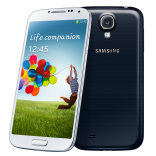
When I order an Unlock Code for my Samsung Galaxy S4, what will I receive?
We provide you with the Unlock Code to permanently unlock your Samsung Galaxy S4.
In case your Samsung Galaxy S4 requires multiple Unlock Codes, all Unlock Codes necessary to unlock your Samsung Galaxy S4 are automatically sent to you.
We also provide detailed instructions on How To Unlock your Samsung Galaxy S4. In most cases the procedure is very easy:
Our Support Team is there to help with any questions you may have, please feel free to contact us anytime!
How to Unlock Samsung Galaxy S4?
NOTE: Make sure that Samsung Galaxy S4 PROMPTS for the code with a NON accepted sim card and that your IMEI is correct by dialing *#06#
Go to the Dial pad and dial *#0011#.
Please click your MENU button (Bottom LEFT button) and click BACK on the menu that appears, nothing will happen do not worry please move to the next step.
Please click your MENU button again and this time click KEY INPUT.
When the Key input box appears please input the number "1" and hit OK.
You will see a number 1 for a while, please wait until it changes into the SERVICE MENU.
Please click on number [1] Perso Sha256 INFO, the screen will change slightly.
Please hit the MENU button then when the menu pops up please carefully hit BACK to return to the previous screen
Next Please click on number [2] Perso Sha256 ON, the screen will change again to a one line message.
WARNING: IF YOU SEE TWO LINES WITH A "NOT_CHANGE" AND A [1] IN THE LINE THIS DID NOT WORK TO FIX THIS PLEASE FOLLOW BELOW:
11. Hit MENU go back and select [3] Perso SHA256 OFF.
You will see TWO lines, please click the very first one which will say then MENU NOT EXIST.
Click MENU and go back a page.
Hit [1] Perso SHA256 info (MAKE SURE IT SAYS ENABLED_FLAG ... [0].
Hit menu go back.
Hit [2] PERSO SHA256 ON (MAKE SURE IT STILL SAYS ENABLED_FLAG [0] ).
11. IMMEDIATELY ON THAT PAGE WITH THE ENABLED_FLAG[0], restart Samsung Galaxy S4 on the screen by holding the power button and click RESTART. 12. When Samsung Galaxy S4 prompts for the unlock code simply enter the unlock code provided to you. 13. Your Samsung Galaxy S4 is now permanently unlocked!
Any suggestion? Want to help us improve our Guideline to unlock Samsung Galaxy S4 ? or those are not accurate ? Please contact us
City Cloud Canada is an incorporated company, we've been unlocking cell phones for 22 years now and strives to provide the best service for our clientele.

All products, and company names, logos, and service marks (collectively the "Trademarks") displayed are registered® and/or unregistered trademarks™ of their respective owners. City Cloud Canada is not associated with or sponsored by Samsung. The authors of this web site are not sponsored by or affiliated with any of the third-party trade mark or third-party registered trade mark owners, and make no representations about them, their owners, their products or services.

Why Purchase From Us?
Permanent Factory Unlock
Full Permanent Unlock (All Levels)
100% Money back guarantee
24/7 Customer support team
Fastest turnaround of delivery
Simple instructions provided
Rated 4.9 out of 5 from 15406 reviews
Our Last 4 Certified Reviews
Make on 02/14/2026
amazing job.
unlocked phone in less than 24
Dequan Charles on 02/13/2026
Quickly resolved in a few hours will be using again to unlock my remaining phone
Mikky on 02/13/2026
This Dudes are not Joking, had so much hassle with my iphone 15 Plus and they managed to unlock it in about 12 hours, im definetley recommending it! Price is also really good, Thak you Unlockbase!!
Wesley Urassa on 02/11/2026
WOW!! Just wow! They sorted me out within 2 hours! after having my iPhone 11 pro max for 4 years on sim lock, tried other ways and failed. I researched, found them (they had pretty good reviews on reddit) chatted on email for a bit and they ensured me it was doable, made payment and voilà! problem solved! Hats off to UNLOCKBASE!